
Bring your guests' perspectives together.
Collect guest photos by QR. Explore sharing, event tools and backup status, with access and limits shown for your event.
Guests scan once. The files land with you.
Share a QR or link so guests can add photos and videos from their browser. Guests follow your access settings; file limits and available quality depend on your event.
A second copy, in a cloud you already own.
Connect a supported cloud destination and review backup status for copied, pending or failed files. Confirmed copies remain subject to your provider's storage, account and permission rules.
One event, split into the parts people remember.
Every event starts with one gallery. Create folders for the ceremony, the reception, or anything else you name, sort photos into them, and mark a folder private when it is only for you.
Messages you can still hear years later.
Guests record a voice memory straight from the browser and can attach a photo to it. Everything arrives in one guestbook you can play back, download, and keep.
The gallery on the wall, while the night is still happening.
Open the slideshow on any screen or projector and approved photos appear minutes after they are taken. Nothing reaches the wall until a host has approved it.
Seating and arrival, built around real households.
Build the room around real guests and households, publish a checked version, and let each guest privately find their place. Hosts can also download an Excel export, a clean seating overview, and print-ready name tags for the venue and welcome team.
One invitation for the whole household.
Send a digital invitation that matches the event design, collect meal choices and plus-ones in a single reply, and watch attendance update everywhere it matters.
Hand parts of the event to people you trust.
Invite co-hosts, a planner, or your photographer and give each of them only what they need. Every change is attributed, so you always know who published what.
Choose how guests can access and view your event.
Review your event's access and gallery settings. Manage media visibility and use selection controls when you want a curated gallery.
A browser for your guests. An app for you.
Guests never install anything. Hosts who want a home-screen shortcut, upload notifications, and drafts that survive a bad signal can use the Android and iOS app — same event, same data.
Export the files your event allows.
Review the ZIP export available for your event. Access, file selection, export dates and daily limits apply; check them before downloading.
Useful when you need them. Quiet when you do not.
Optional tools that live behind the same QR code. Turn one on when the event calls for it; guests never see the ones you leave off.
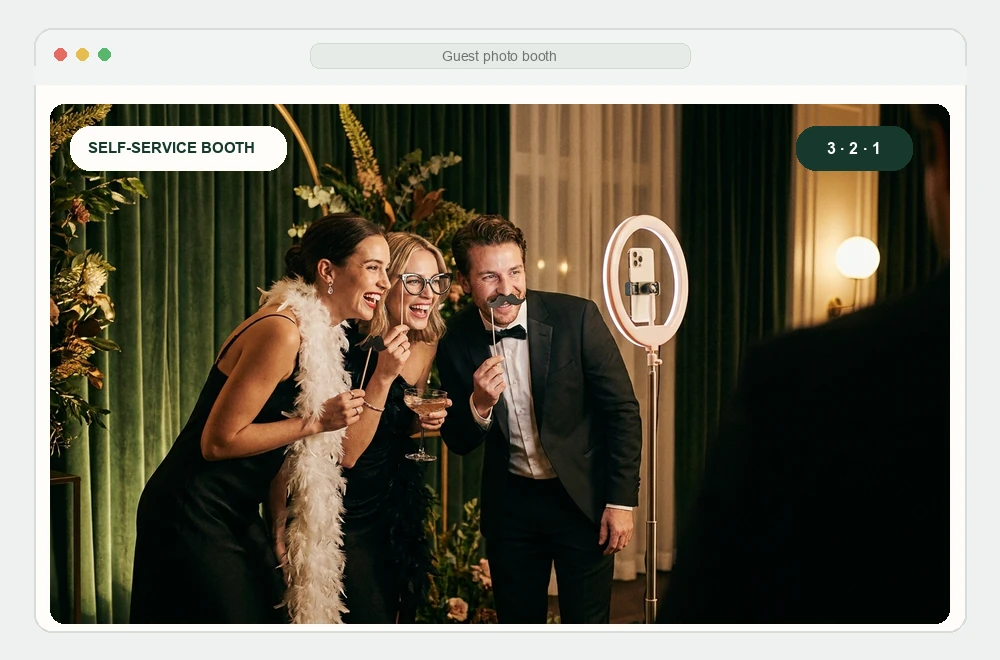
Private photo booth
Guests open the same QR code, take a portrait, and add it directly to the event without installing an app.
One QR, no appOpen the full page →Build it before you sign up.
Create the event, choose the invitation, arrange the room. Register when the work is worth keeping — the draft comes with you.